

How to connect to wireless networks
Please refer to How to connect to wireless networks on various operating systems?
How to remove the profile
Method 1
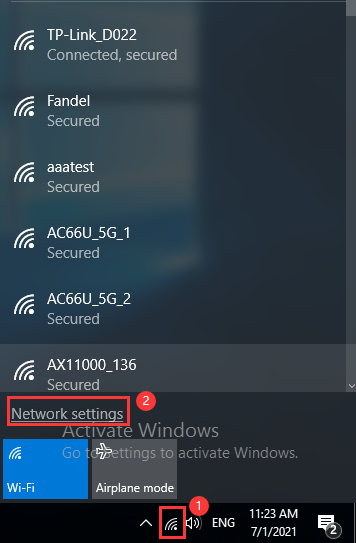
Step1 Click the Wi-Fi icon at the lower right corner in the task tray, and click “Network settings”.
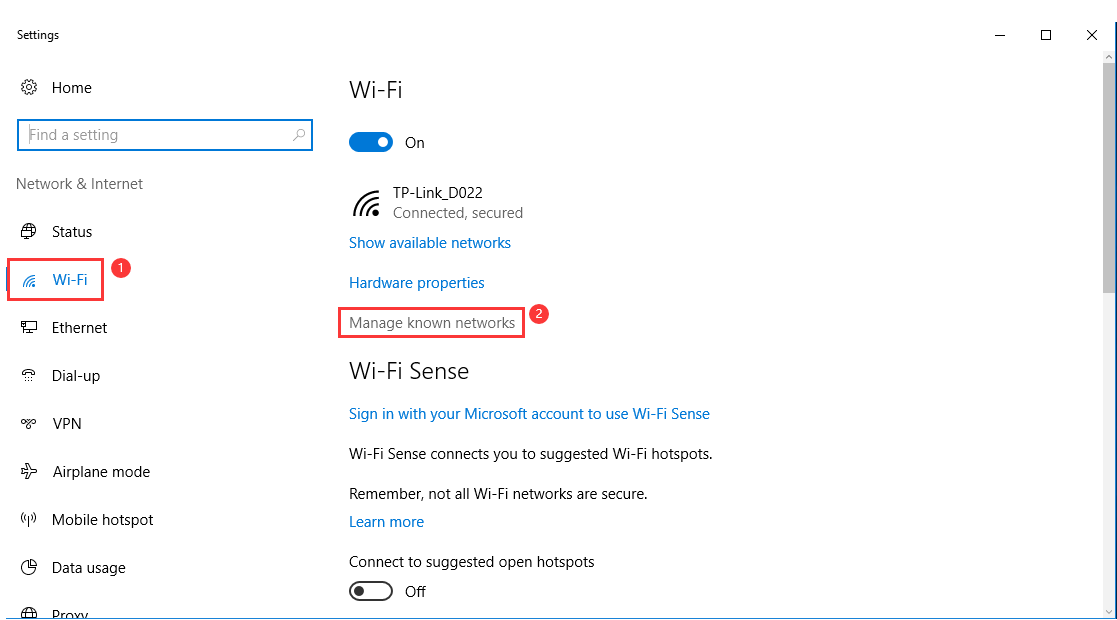
Step2Then please click on “Wi-Fi” and find “Manage known networks”/ “Manage Wi-Fi settings” on the left menu.
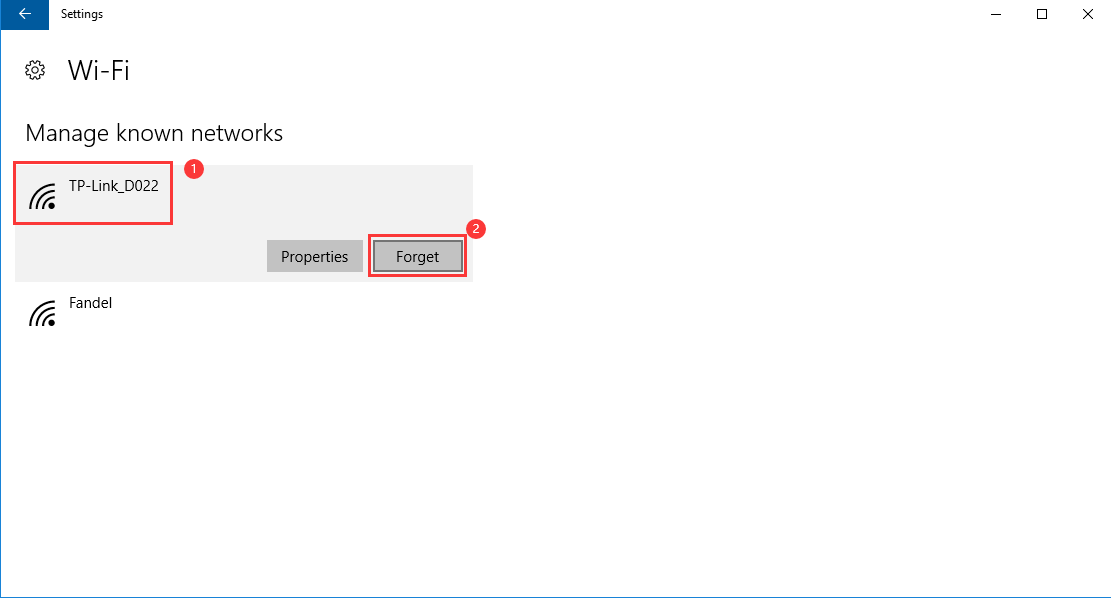
Step3 Highlight your Wi-Fi and click on “Forget”;
Method 2
Step 1 Click the Search symbol and then type Control Panel on the search bar and select.

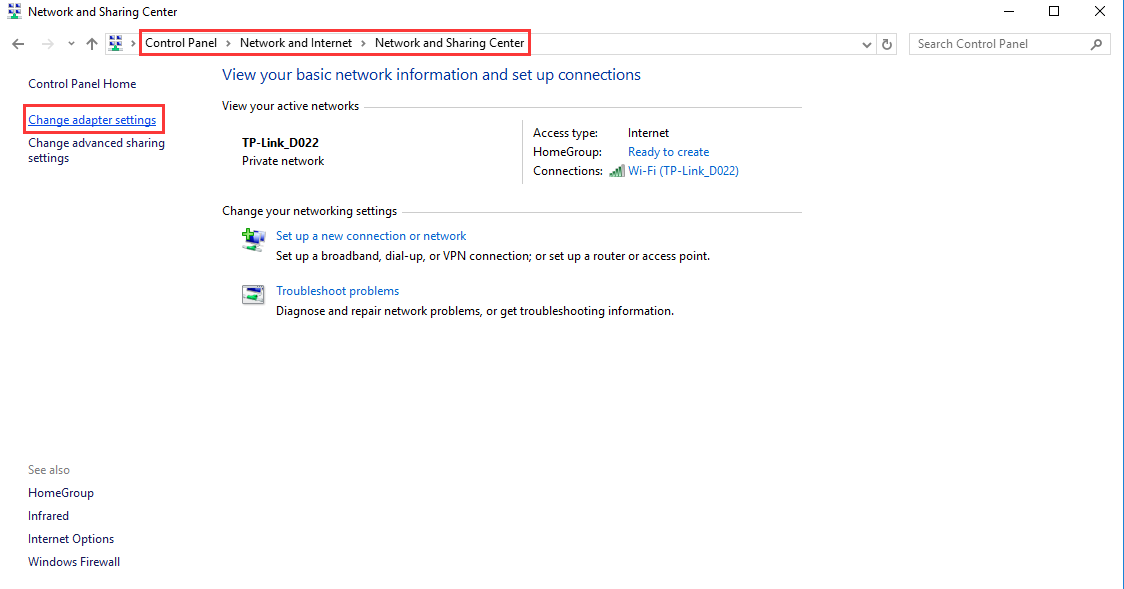
Step 2 On the Control Panel page, please click on “Network and Internet” -> “Network and Sharing Center” -> “Change Adapter Settings” (on the left menu).
Step 3 Then right-click on “Wi-Fi” and go to “Connect/disconnect”.
You will see the same “Settings” window showed on the Step2 of the Method 1, so please go through the same process to forget your profile.