

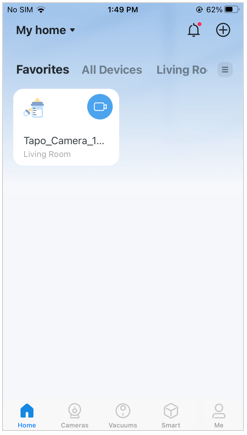
1. On the home page, tap on your model card.
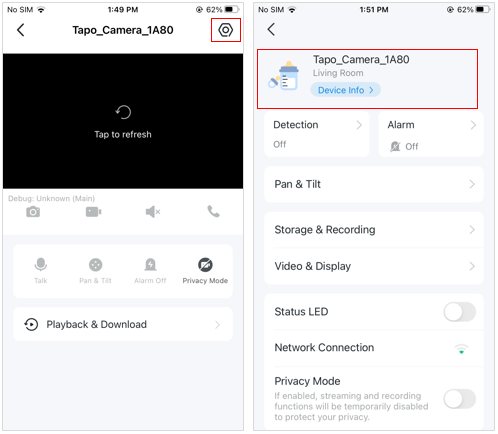
2. Tap the gear icon and Device Info to enter the device info page.
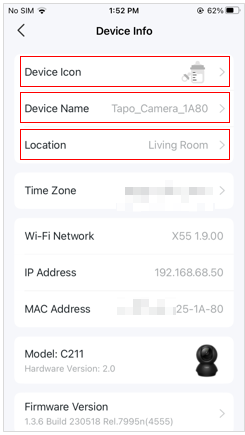
3. On the Device Info page, you can change your device icon, device name, and location.
Get to know more details of each function and configuration please go to Download Center to download the manual of your product.