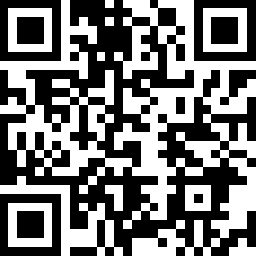
- 1
Stáhněte a otevřete aplikaci - 2
Stiskněte plus (+) a zadejte chytré zařízení. - 3
Najděte zařízení a připojte. - 4
Pojmenujte zařízení a vyberte místnost ve které se nachází. - 5
Vše je připraveno!
Videa
How to Replace the Main Brush Cover (Tapo RV50 Omni)
Tapo RV50 Omni
How to Replace Cleaning Tray (Tapo RV50 Omni)
Tapo RV50 Omni
How to Replace the Side Brush (Tapo RV50 Omni)
Tapo RV50 Omni
How to Replace the Filter (Tapo RV50 Omni)
Tapo RV50 Omni
How to Replace the Mop Cloth (Tapo RV50 Omni)
Tapo RV50 Omni
How to Clean the Detachable Base (Tapo RV50 Omni)
Tapo RV50 Omni
How to Clean Cleaning Tray (Tapo RV50 Omni)
Tapo RV50 Omni
How to Clean the Caster Wheel (Tapo RV50 Omni)
Tapo RV50 Omni
How to Clean the Main Wheels (Tapo RV50 Omni)
Tapo RV50 Omni
How to Clean the Charging Contacts (Tapo RV50 Omni)
Tapo RV50 Omni
How to Clean the Sensors (Tapo RV50 Omni)
Tapo RV50 Omni
How to Clean the Side Brush (Tapo RV50 Omni)
Tapo RV50 Omni
How to Clean the Filter (Tapo RV50 Omni)
Tapo RV50 Omni
How to Replace the Dust Bag (Tapo RV50 Omni)
Tapo RV50 Omni
How to Empty the Dustbin (Tapo RV50 Omni)
Tapo RV50 Omni
How to set up your Tapo robot vacuum: Tapo RV50 Omni
Tapo RV50 Omni