


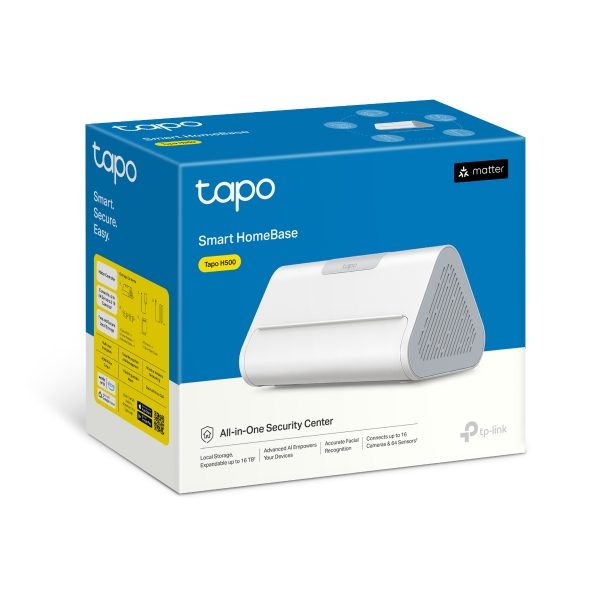
CentralHub™
Tapo H500
- พื้นที่จัดเก็บข้อมูลภายในแบบขยายได้ ไม่มีค่ารายเดือน:
มอบพื้นที่จัดเก็บภายในขนาดใหญ่ ปลอดภัย และใช้งานฟรี ด้วยหน่วยความจำ eMMC 16GB ในตัว พร้อมรองรับการขยายเพิ่มเติมผ่าน HDD/SSD แบบ SATA ขนาด 2.5 นิ้ว - ระบบตรวจจับอัจฉริยะด้วย AI ที่พัฒนาแล้ว:
รองรับการจดจำใบหน้าที่มีความแม่นยำสูง พร้อมฟีเจอร์ AI หลากหลาย เช่น การตรวจจับบุคคล สัตว์เลี้ยง และยานพาหนะ - ศูนย์กลางระบบสมาร์ทโฮม:
สามารถเชื่อมต่อกล้อง Tapo ได้สูงสุด 16 ตัว และเซ็นเซอร์ได้สูงสุด 64 ตัว เพื่อสร้างระบบสมาร์ทโฮมแบบครบวงจร - ดูภาพรวมหลายกล้องได้อย่างง่ายดายผ่านแอป:
ติดตามการเคลื่อนไหวของบุคคลข้ามกล้องได้ พร้อมสร้างฐานข้อมูลใบหน้า และรองรับการค้นหาเหตุการณ์ที่ทำเครื่องหมายไว้ผ่านแอป Tapo - ใช้งานง่าย ไม่ต้องเดินสาย:
เชื่อมต่ออุปกรณ์สมาร์ทของคุณกับ CentralHub ผ่าน Wi-Fi ได้ทันที โดยไม่ต้องติดตั้งสายให้ยุ่งยาก และยังรองรับการเชื่อมต่อผ่าน Ethernet ตามความต้องการ
Click here to view Tapo H500 Compatibility List and Adaptation Plan
*HDD/SSD drives are not included and must be purchased separately. Actual storage capacity will vary depending on the size and type (HDD or SSD) of the drive selected.Due to system resource allocation, the actual local available storage capacity may be less than 16GB.
**The AI enhancement currently supports a maximum of 4 cameras simultaneously and is planned to be optimized to support up to 6 cameras in the future.
‡Connect up to 64 Tapo lot devices (Tapo sensors, buttons, Sub-1 switches) and 16 Tapo camera/video doorbells. Compatibility list please refer to the link:https://www.tp-link.com/support/faq/4191/
△Matter support applies to specific device types based on the Tapo H500’s compatibility. Please refer to the official product documentation for details.
†The tablet needs to be purchased separately.
***H500 surpports HDMI output that supports up to four combined video streams without individual channel control.
**** H500 connects to the router via Ethernet or 5 GHz Wi-Fi only. Please make sure your router supports the 5 GHz band.Routers that do not support 5 GHz (such as TL-WR841N,TL-WR940N) should be connected via Ethernet cable. 2.4 GHz Wi-Fi is not supported for router connection due to its lower speed and higher interference, which may affect video transmission stability. 2.4 GHz Wi-Fi is supported for communication with compatible devices such as IP cameras.
***** The actual face recognition performance may differ from the expected results due to variations in real-world conditions.